
Taking a Break? How to Manage Customer Support When You’re Away
Juggling business tasks can be stressful. Sometimes you need a break. But if you’re a one-person shop, how do you manage customer inquiries when you’re unavailable? Below are practical solutions. With a plan in place, you can enjoy time off without neglecting customer support.
1. Announce Vacation Plans Early
Customers like clarity. Tell them you’ll be away on specific days. Post a banner on your site or use social media. Send a quick email blast if you have a small mailing list. The earlier they know, the easier it is for them to plan their exchanges with you.
Don’t over-disclose personal details. A short notice about limited availability is enough. Keep all client data protected even when you’re off duty.
2. Automate Responses
An auto-reply sets clear expectations. Let it explain you’re away, mention when you’ll be back, and provide links to FAQs or a knowledge base.
Auto-replies should be brief and direct.

3. Hire a Temporary Virtual Assistant
A short-term VA can help if you expect heavier traffic. They can monitor urgent emails or messages.
Brief your VA on common issues and instruct them on needed tasks like resetting passwords or checking orders. They can escalate complex inquiries to you or note them for your return.
4. Check In Once a Day (If Possible)
In an ideal world, you’d disconnect entirely. But if you can spare a few minutes daily, you might spot emergencies. Monitor high-priority items. Reassure customers who need personal attention. Maintaining a short, daily window can prevent small issues from becoming big problems.

5. Keep Access Logs While You Are Away
Proper logs track every action so you can see who accessed what, even while you’re out.
You can keep an eye on important tickets from anywhere. That peace of mind is priceless.

Practical Steps to Implement
- Draft a vacation schedule and notify customers a week in advance
- Enable auto-reply with simple instructions, including FAQ links
- Hire short-term help if you expect a surge in requests
- Check messages briefly if you can, or rely on a well-trained assistant
Planning these steps helps you rest better. You deserve it.
Related Articles
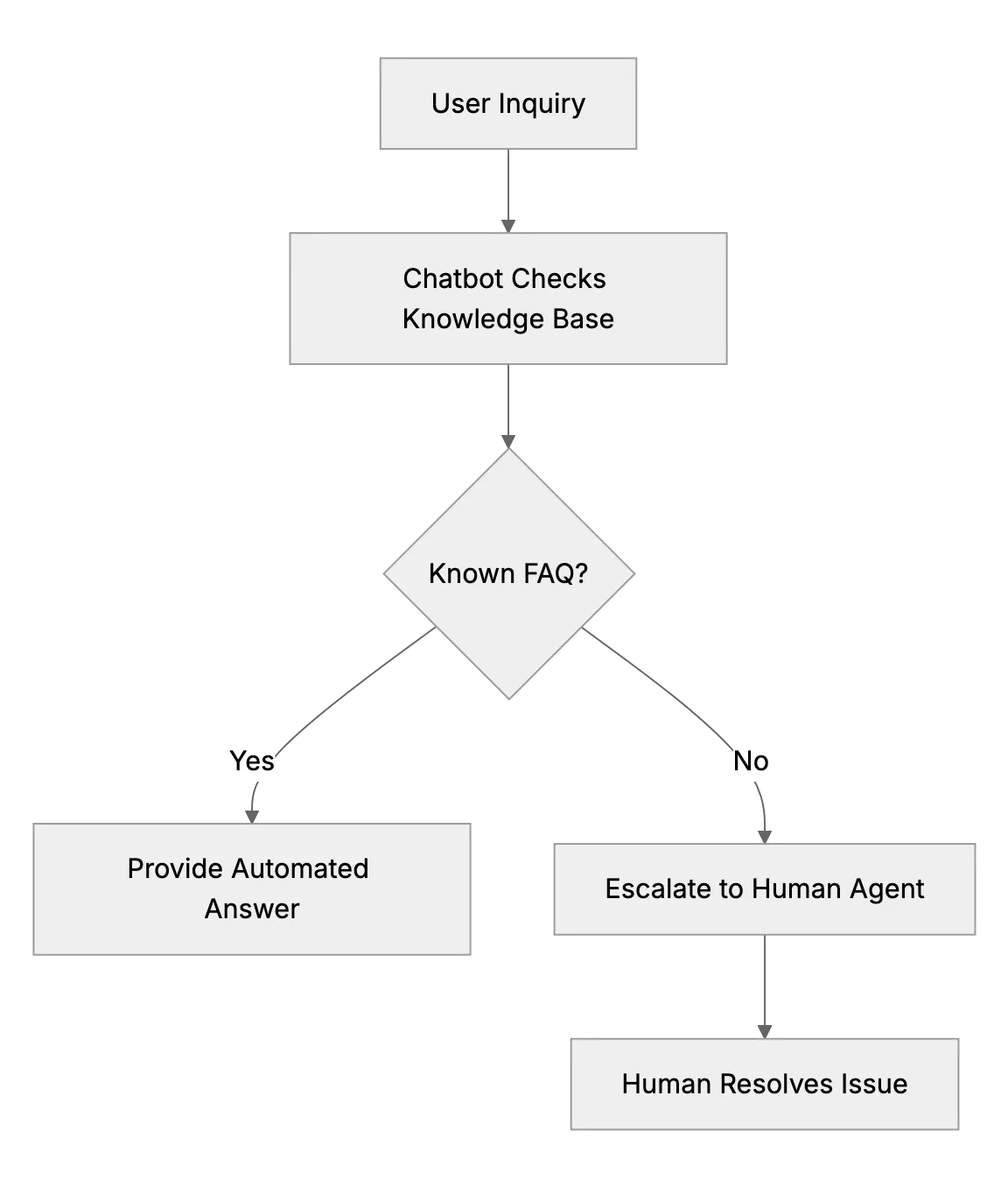
Deploying a Chatbot for Tier-1 Questions So Your Team Handles Only Complex Issues
Train a chatbot on your FAQ to answer order status and password questions, learn from its failed chats, and hand hard cases to a person with context.

Supporting Less Tech-Savvy Customers Without Overloading Your Team
One customer said he ‘didn’t want to read the manual, he just wanted to press a button and make money’. Some customers need extra patience and simpler explanations.

Taking Time Off When You are the Only Support Person (Planning Coverage)
A question that often comes up in one-person support teams: What do you do when you need a vacation or fall ill? This article outlines practical strategies for arranging coverage, notifying customers of reduced availability, and preparing a knowledge base to keep things running smoothly.