AI Time Management Strategies for Small Business Owners
AI Time Management for Small Business Owners
Time is tight for small firms. Email, calls, and admin tasks fill every slot. AI can fix that. Modern models plan work like a coach and keep owners on track. A UK study saw output jump 27, 133percent when firms added simple AI helpers.
Owners feel the change. One solopreneur on Reddit gave ChatGPT her weekly list and got a perfect plan: blocks for marketing, client work, and learning. She said it felt like "having a personal productivity consultant."
Why AI Time Blocking Works
- Always on analysis. The model weighs deadlines, meeting load, and energy peaks each day.
- Fast reschedule. A sudden call? The AI shifts low‑risk tasks to free space.
- Less choice stress. The day opens with clear blocks, not dozens of loose to‑dos.
Five‑Step Guide
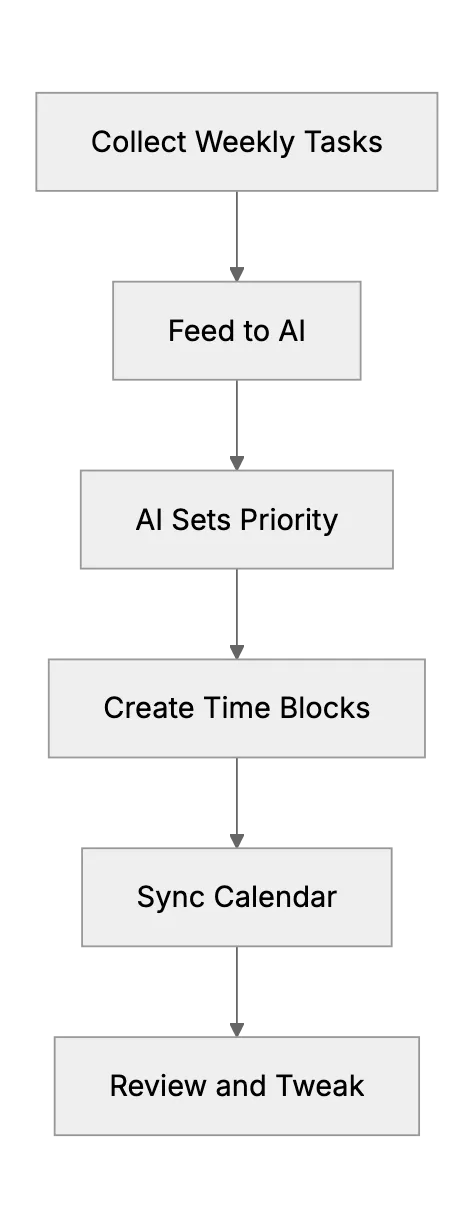
1 , Dump every task
Add all work, recurring chores, and personal items to one list. Keep it simple.
2 , Ask AI to rank them
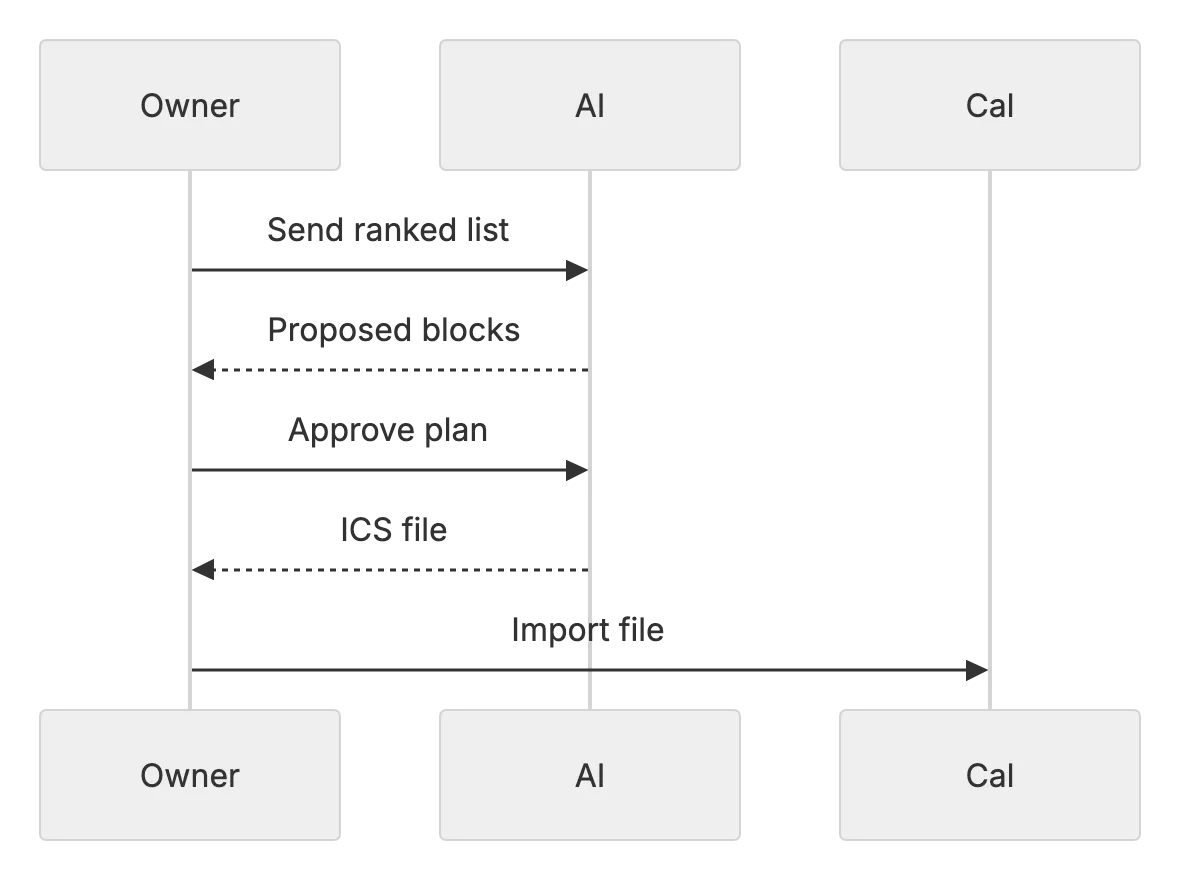
Prompt ChatGPT or Gemini: "Sort these by value and deadline. Show effort hours too." The model returns a lean queue.
3 , Generate time blocks
Tools like Reclaim AI fill Google Calendar or Outlook with flexible blocks that defend focus time.
4 , Automate meeting slots
Clockwise or Calendly AI can scan your current load and pick the best time for client calls. They cut back‑and‑forth email by up to 50 percent.
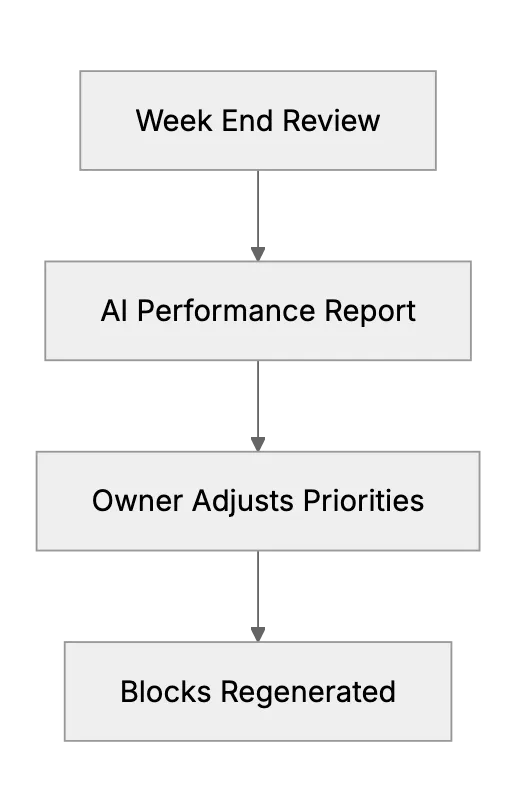
5 , Review every Friday
Ask the AI: "Show tasks that slipped and suggest fixes." The feedback loop keeps next week realistic.
Picking the Right Tool
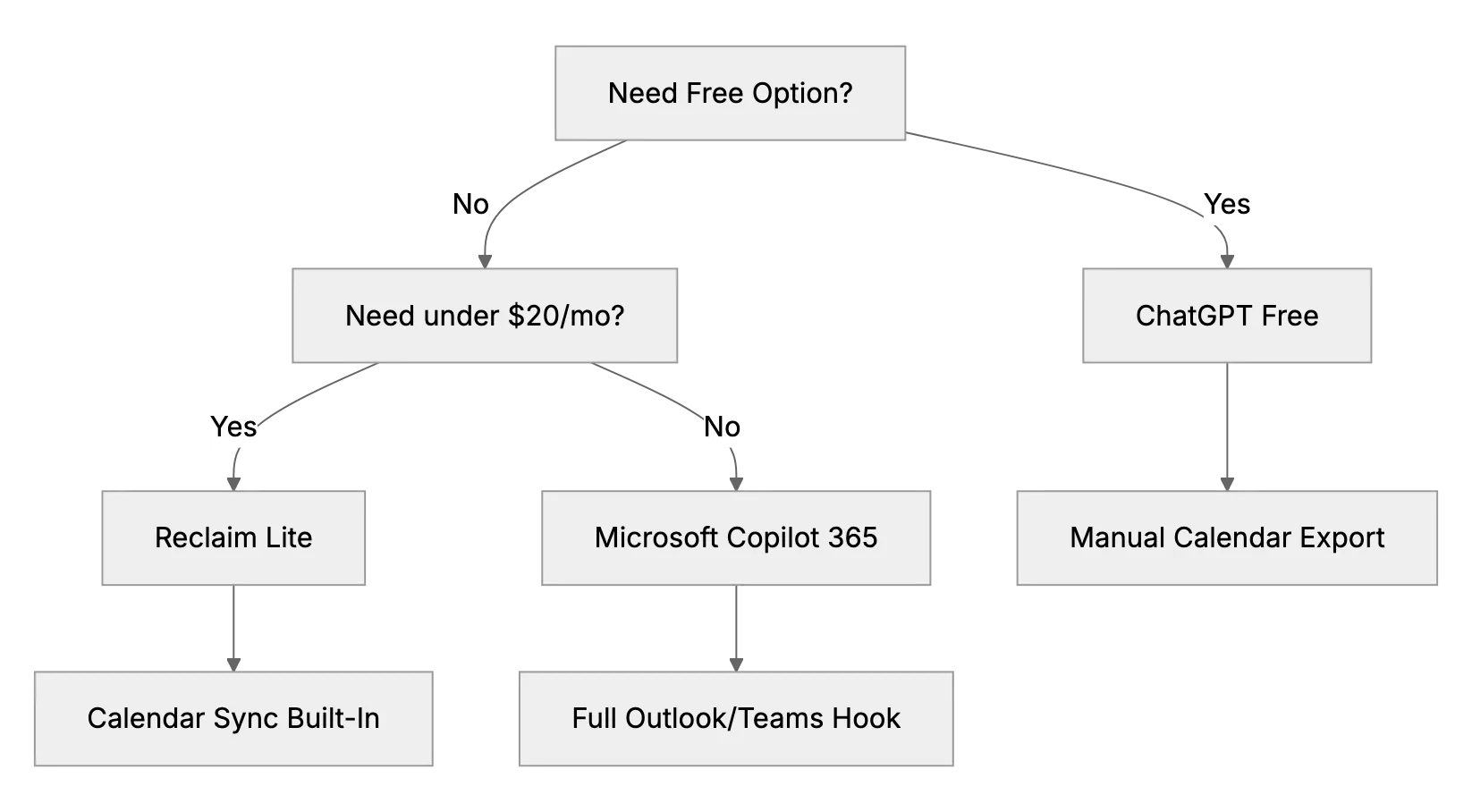
Use this quick map.
Extra Tips
- Keep blocks 60, 90minutes max. Focus drops after that.
- Tag breaks as tasks so AI guards them.
- Save successful prompts. Reuse and tweak faster each week.
- Stay the human in charge. Double‑check AI math and timing. QuickBooks reminds owners that final say is theirs.
Real Results
Our magazine polled 38 micro‑firms that adopted AI scheduling last year. Median reclaimed time: 7hours per week. Marketing got the biggest slice of freed hours. Owners spent that time on client calls that raised revenue.
Closing Thought
AI time management is not hype. It is a cheap upgrade that small teams can start in one afternoon. Try the five‑step loop and watch your calendar clear up.
Frequently asked questions
1. What is AI time blocking?
It is the use of an AI model to turn ranked tasks into calendar events with set start and end times.
2. Which free tool should I try first?
Start with ChatGPT on the free plan and export the block list to your calendar.
3. Does Reclaim AI work with Outlook?
Yes. It supports Google Calendar and Outlook and keeps both in sync.
4. How often should I refresh my schedule?
Weekly is fine for most owners. Daily tweaks are easy with AI if plans change.
5. Will clients see my private blocks?
No. AI can mark work blocks as busy without details.
6. Is my data safe with these apps?
Use vendors that provide clear security audits and allow local calendar data storage.
7. Can AI schedule team members too?
Yes. Clockwise and Reclaim have team plans that balance meetings across many calendars.