Process Automation with AI: Faster Photo Editing and Concise Emails for Small Businesses
Why speed matters
Small firms move fast. Manual work slows you down, but AI process automation keeps product shots and replies on schedule.
What counts as process automation here
We talk about two tasks you hit each day:
- Polishing product photos.
- Turning rough notes into clear emails.
Both eat time. Both follow steps you can teach to machines.
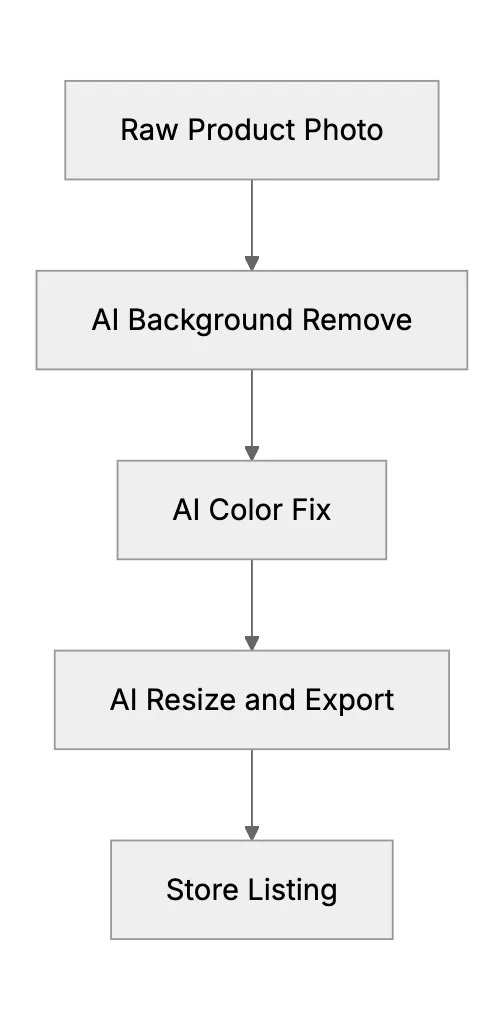
How AI edits photos in one run
Modern editors like Photoshop and Affinity Photo use generative fill and smart masking to remove clutter, fix lighting, and crop images in one run.
Key tips:
- Shoot against solid colour to boost mask accuracy.
- Create a preset that runs all steps with one click.
- Keep original files in cloud storage for rollback.
Email drafts in minutes, not hours
Gmail, Outlook, and CRM plug‑ins now draft concise emails from bullet points so you can hit send in minutes.
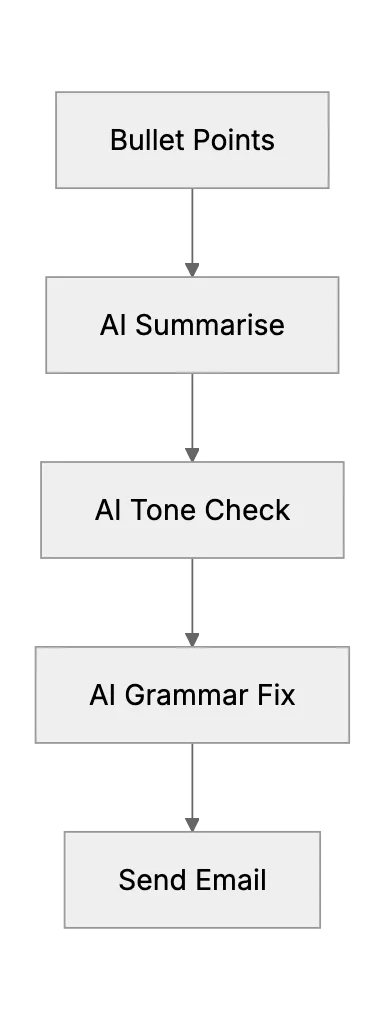
Set clear voice rules. Think word count, level of formality, approved phrases. The model follows your guide faster when rules stay tight.
Pick tools that fit the shop
Free tiers cover many needs. Lightroom’s web app handles twenty images a week at no cost. Gmail’s Smart Compose ships free. Paid tiers add bulk jobs and team admin.
| Need | Free option | Paid upgrade adds |
|---|---|---|
| Remove background | Canva | Batch 100 photos |
| Rewrite email | Gmail | Brand‑tone fine‑tuning |
| Full workflow | Zapier Starter | Conditional routes |
Roadmap to go live
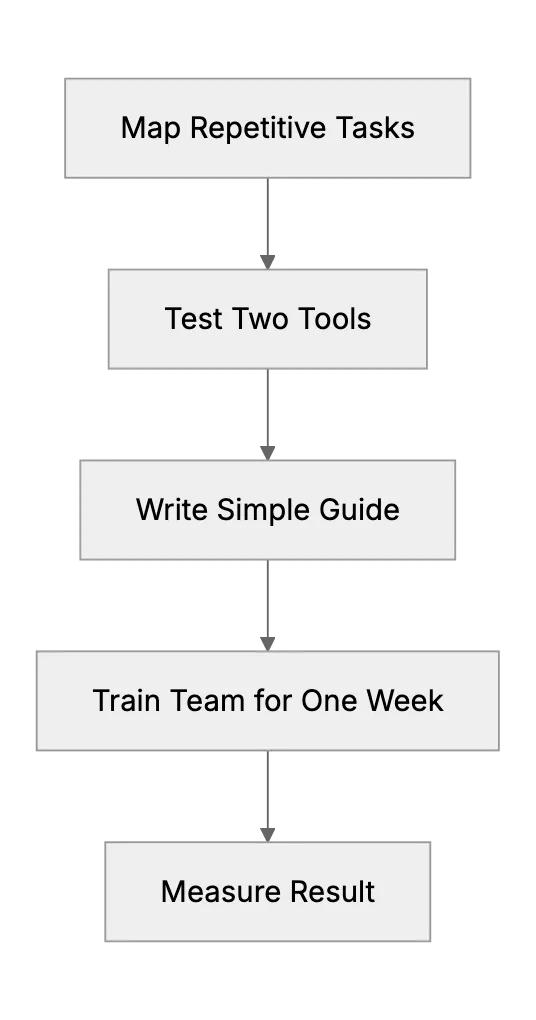
Start with one product line and the inbox for support. Collect numbers before and after.
Check the return on effort
Time saved beats raw hype. Track hours, then multiply by hourly cost. Subtract tool spend.
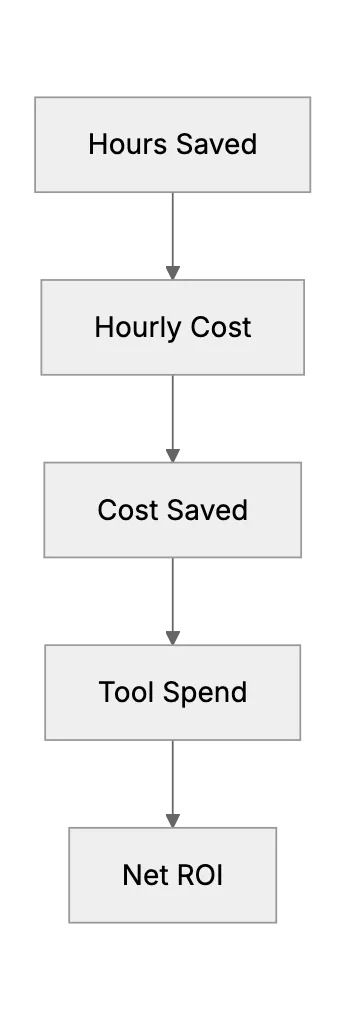
A simple sheet proves value to partners and investors.
Best practice list
- Review every AI change for brand fit.
- Store before‑after pairs for audit.
- Update prompt rules each quarter.
- Keep client data off open tools. Use on‑device models when needed.
- Add a human sign‑off step for sensitive mail.
Common pitfalls
- Skipping human review and sending wrong info.
- Relying on a single cloud model with no local fall‑back.
- Ignoring copyright when AI creates new backgrounds.
- Letting tone drift between emails.
What comes next
Voice input already writes mail hands‑free. Next wave blends camera, AI, and CMS in one app. Snap, tweak, post, reply, all inside the same dashboard. Early tests cut listing time by 70 percent.
Wrap‑up
Photo edits and email drafts look small. Added up they eat days each month. Automate them now. Save hours. Spend that time on sales and product.
Frequently asked questions
1. Do I need high‑end hardware for AI photo edits?
No. Cloud editors run in the browser. A mid‑range laptop works fine.
2. Will AI break my brand voice?
Only if you skip guidelines. Feed tone rules and keep human review.
3. How much time can a shop save on photos?
Tests show 3, 5minutes per image. That is hours for a new catalog.
4. What email tasks gain most?
Reply templates, follow‑ups, and subject line drafts show biggest cut.
5. Is my data safe in online AI tools?
Pick reputable vendors with strong security credentials. Avoid sending private client info.
6. Can I batch edit photos on a free plan?
Most free plans cap at 10, 20 files. Paid tiers lift that limit.
7. How do I train staff fast?
Record a two‑minute screen demo. Pair that with a one‑page checklist.
Related Articles
Generative AI for Product Design and Mockups
Generative AI for Product Design and Mockups
How AI Is Transforming Bookkeeping and Expense Tracking
AI is transforming how businesses handle bookkeeping and expense tracking by automating tasks and reducing errors
AI as a Multitasking Assistant for Small Startup Teams
How a tiny team can push work to an AI helper and win back time for creative growth